

Free online tools that run in your browser
ToolsAre.Us is a small hub of practical utilities — word counters, password generators, converters, PDF helpers, timers, typing tests, and a few shareable tools for events and watch parties. Open a tool, use it, leave. No account, no install, no app store.
Most tools process everything on your device. Text, images, and passwords stay in the tab unless a tool clearly says it saves something on the server (for example shared RSVP lists, countdown links, or Watch Together rooms). Those cases are described on the tool page and in our privacy policy.
Pick a card below, or jump to a popular tool from the list under the grid. The site is free to use and may show ads to cover hosting.
All tools
HU Checker
Verify handling units against an expected list. Scan, match, catch duplicates, see what is still missing.
Barcode & QR Generator
Generate QR codes and 1D barcodes (Code 128, EAN, UPC, ITF-14, more). Bulk-paste a list for a printable sheet.
Paint
A simple paint app with brushes, shapes, fill, undo, and PNG export. Light and dark themes.
Text to Speech
Read text aloud with eight voices and adjustable speed, pitch, and volume. Handles long passages.
Speech to Text
Dictate into a transcript with live recognition. 22 languages, plus copy or download as .txt.
Anything to PDF — images, Word, Markdown, HTML, plain text — plus PDF tools: merge, split, page-to-JPG, compress. All in your browser.
Notepad
A VS Code-style editor in the browser. Tabs, syntax highlighting for 70+ languages, find/replace, markdown preview, and a Tools menu (sort, dedupe, JSON, base64).
Unit Converter
Convert length, weight, temperature, area, volume, speed, time, data, pressure, energy and angle. 11 categories, instant two-way conversion, all in your browser.
Image Compressor
Shrink JPG, PNG and WebP files, resize by max width, and convert format. Batch-compress with live size savings — 100% in your browser, nothing uploaded.
Password Generator
Create strong random passwords or memorable passphrases with a live strength meter. Cryptographically secure and 100% in your browser — nothing is sent or stored.
Word Counter
Count words, characters, sentences and paragraphs live as you type, with reading time, speaking time and keyword density. Nothing is uploaded.
Stopwatch & Timer
A precise stopwatch with laps and a countdown timer with alarm and presets. Keyboard shortcuts, dark mode, and no sign-up.
World Timezones
See the current time in every country. Search cities and zones, pin the ones you care about — saved in your browser.
Countdown
Count down to any date and time in any timezone — live days, hours, minutes and seconds. Saved in your browser.
RSVP
Shared event RSVP: details, date, and guest list. Guests reply yes/no with their name. Public link for guests, admin link to edit.
Watch Together
Paste a YouTube link, share a room, and watch in sync — play, pause, and seek stay together for everyone with the link.
Calculator
Basic and scientific calculator with parentheses, trig, logs, powers and factorials, full keyboard support and a running history — all in your browser.
Color Picker & Converter
Pick colors and convert between HEX, RGB, HSL and HSV with alpha support. Palettes (complementary, analogous, triadic), tints and shades, and a WCAG contrast checker.
JSON Formatter & Validator
Beautify, validate and minify JSON with a live tree view and exact error location. Nothing is uploaded — 100% in your browser.
Typing Speed Test
Measure your words per minute (WPM) and accuracy on 15, 30 or 60 second runs. 100% in your browser, nothing uploaded.
Click Speed Test (CPS)
Measure your clicks per second over 1, 5, 10 or 30 seconds. Works with mouse or touch — 100% in your browser.
Reaction Time Test
Wait for green, then click — measure your reflexes in milliseconds over five tries and get your average. All in your browser.
Random Picker & Raffle
Paste names or items and spin for a fair random winner (or several). Cryptographically secure — 100% in your browser, nothing uploaded.
TryHarder Barcode / QR Reader
Take a phone photo or upload an image of a faded/hard-to-read barcode or QR. TryHarder multi-pass recovery — 100% in your browser.
CheckOff
Paste a list from Excel or SAP (products or names + quantity), find each item, and check it off until the whole list is done.
Doc Scanner
Photograph or upload a document, auto-crop and straighten the page, reduce fold shadows, apply a clean scanned look, then save or share to your camera roll — 100% in your browser.
File Archiver
Create and open ZIP files in your browser — pack folders, extract, download. Progress bar included; nothing uploaded.
Remove Duplicate Lines
Paste a list and strip the repeats. Ignore case, trim spaces, keep the first or last copy, sort or keep the original order — all in your browser.
Games
Take a break with free browser games. No account or installation needed.
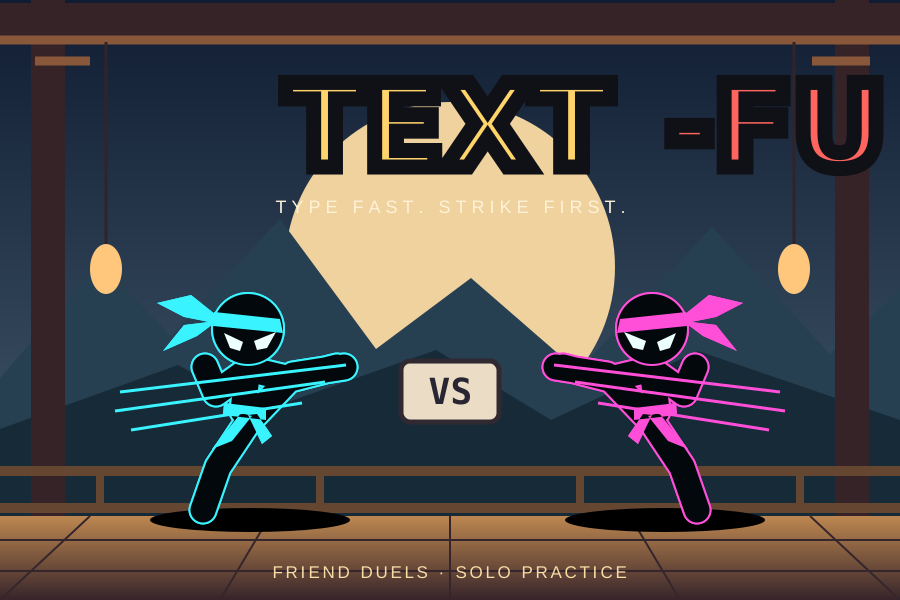
Text-Fu
Challenge a friend to a typing kung fu duel, or practise against an AI. Each correct letter throws a punch or kick.

KeyFly
Type left-hand and right-hand letters to steer through an asteroid field. Dodge rocks and protect your shields as the flight gets faster.

Type Starfighter
Destroy enemies by typing. Choose Typing Duel or explosive Missiles mode. Defend your turret against waves of enemies, build combos and clear threats.
How these tools work
Each tool is a plain web page with its own address under toolsare.us. Favourites and share links use that path (for example /wordcount/). Older tool subdomains still open the same pages via redirect, so existing bookmarks keep working.
If a feature needs the network — loading a YouTube player, or storing a shared room ID — the page will say so. Otherwise you can work offline once the page has loaded, subject to what your browser allows.
Guides
Alongside the tools there is a library of twelve reference articles explaining the subjects underneath them — written to be worth reading on their own, not as documentation. They cover mechanisms rather than buttons, and where common advice is wrong they explain why rather than repeating it.
Codes and data: how a barcode actually encodes a number, including the hidden thirteenth digit; how a QR code survives being damaged, and why a logo in the middle works; the rules of JSON and where it bites, including the large numbers it silently corrupts.
Files and images: why compressing an image loses quality and the step that saves more than the quality slider ever will; what a PDF really is, and why merging is free while compressing is not.
Security and fairness: what actually makes a password hard to guess, with the entropy maths worked through; what “random” means for a computer, and why the usual way to shuffle a list is biased; what “runs in your browser” means and how to verify the claim yourself in thirty seconds.
Measurement: why time zones are harder than they look, including the hour that happens twice every year; the units that are not what you think — two gallons, three tons, and a temperature you cannot double; how colour works on a screen and why contrast is not obvious; why typing and reaction tests disagree with each other.
Why ToolsAre.Us exists
People should not need to install a heavy app for a five-minute job: counting words, converting units, making a QR code, or checking JSON. This hub keeps those utilities free, fast to open, and honest about privacy. Most tools never leave your device. A few shared tools (rooms, RSVPs, shared countdowns) store only what is needed to make a link work for other people — and they say so on the page.
What you can do here
Browse the full grid below for generators, converters, PDF helpers, timers, typing and reaction tests, colour tools, a notepad, speech tools, and more. Each tool has its own page with instructions, examples, limitations and a short FAQ. Subdomain bookmarks such as paint.toolsare.us still open the matching tool via redirect.
Advertising and cookies
The site may show ads so hosting can stay free. On your first visit we ask you to accept or decline non-essential cookies. Details are in the Privacy Policy. Essential preferences such as light/dark theme may still be stored so the UI works as expected.
Feedback
Found a bug? Use the contact page and include the tool name, browser, and what went wrong. Have an idea for a tool we do not have yet? Use the suggest a tool form — name, email, and what you need — and we will try to build useful ideas and get back to you.
More tools will be added over time. Suggest a tool if something is missing.
Editorial standards
We write tool pages in plain English with real examples and honest limits. We do not invent user counts, awards or fake reviews. Structured data on tool pages describes the free browser application and frequently asked questions without aggregate ratings. If something is wrong, the contact page is the fastest way to tell us.
Using the tools safely
Do not paste passwords, private keys or confidential documents into tools unless you understand whether that tool stays local or uses a server. Password generation and most converters are local. Watch Together rooms, RSVP lists and shared countdowns store link state on the server so other people can open them — treat those links like invites.